Mobile app
The employee app that keeps your workforce connected
Reimagine proactive workforce scheduling and communications to foster an agile, responsive environment with the nimbus workforce app.
Discover how the nimbus mobile app gives employees access to their schedule information, time capture, notifications and workforce tools wrapped in an intuitive user experience

One unified system
The nimbus workforce management app acts as a secure, centralised hub for employees to access their schedules plus add leave, availability, and attendance data all in one place.
Easily capture staff work time
An engaging, easy to navigate experience to simply capture staff time, with security controls based on compliance and location.
Simplified communication
Push notifications keep employees and managers aligned with timely, relevant updates that reduce admin burden and missed messages.
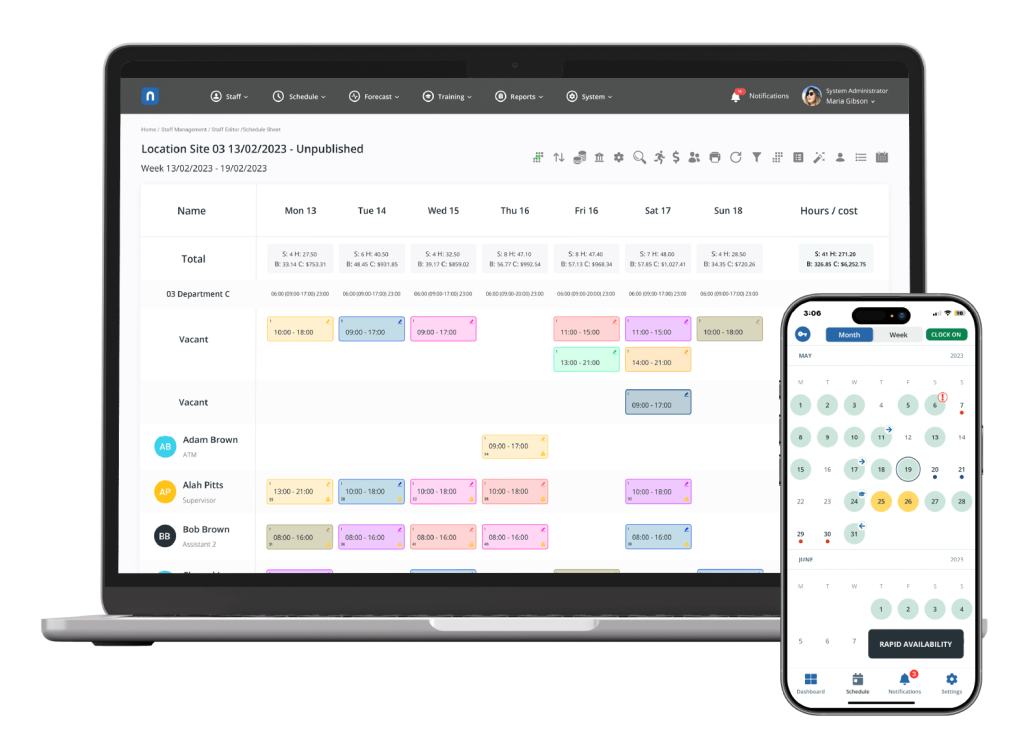
Connect scheduling and time in one place
Through intuitive self-service features, the nimbus employee app reflects staff, shift, and schedule changes across all work and time signals, providing employees with the information they need, wherever they are.
- Streamline communications between employees and managers
- Access key work information from anywhere
- Request time off and view leave balances
- Reduce delays and provide visibility on shift and staff changes for contextual approvals and updates
- Swap shifts with qualified colleagues
- Submit go home early requests or opt to work overtime
- Add attendance and task records that are reflected in real-time to employee profiles and shift planning scenarios
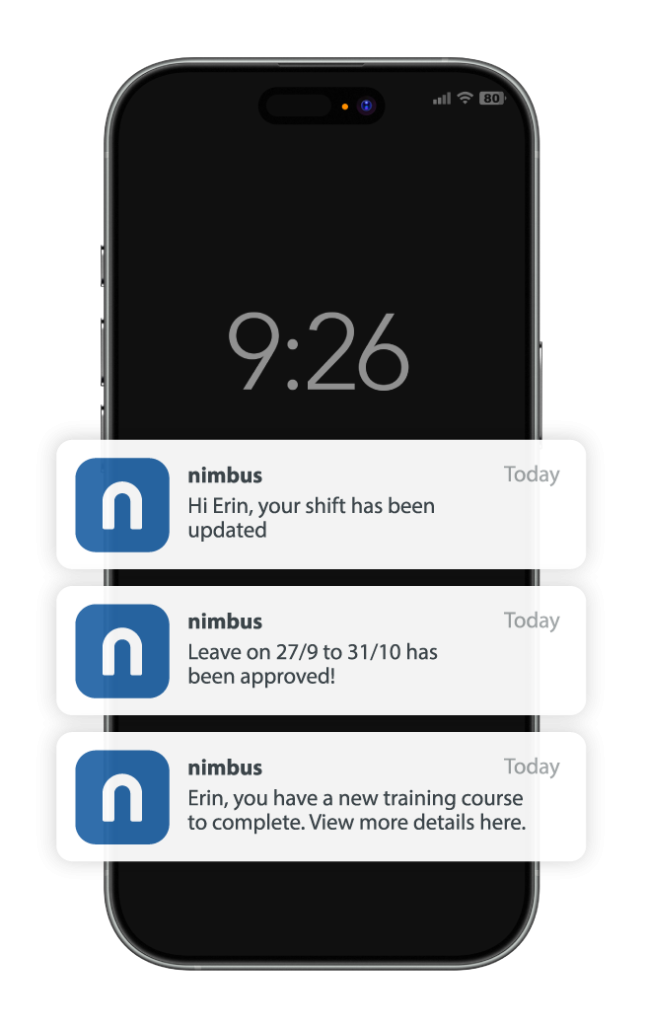
Simplified and clear communication
Instant communication to employees via push notifications ensures staff receive the information they need when they need it, while the app’s simple navigation ensures all vital work information can be found and actioned quickly.

Proactive leave and availability management
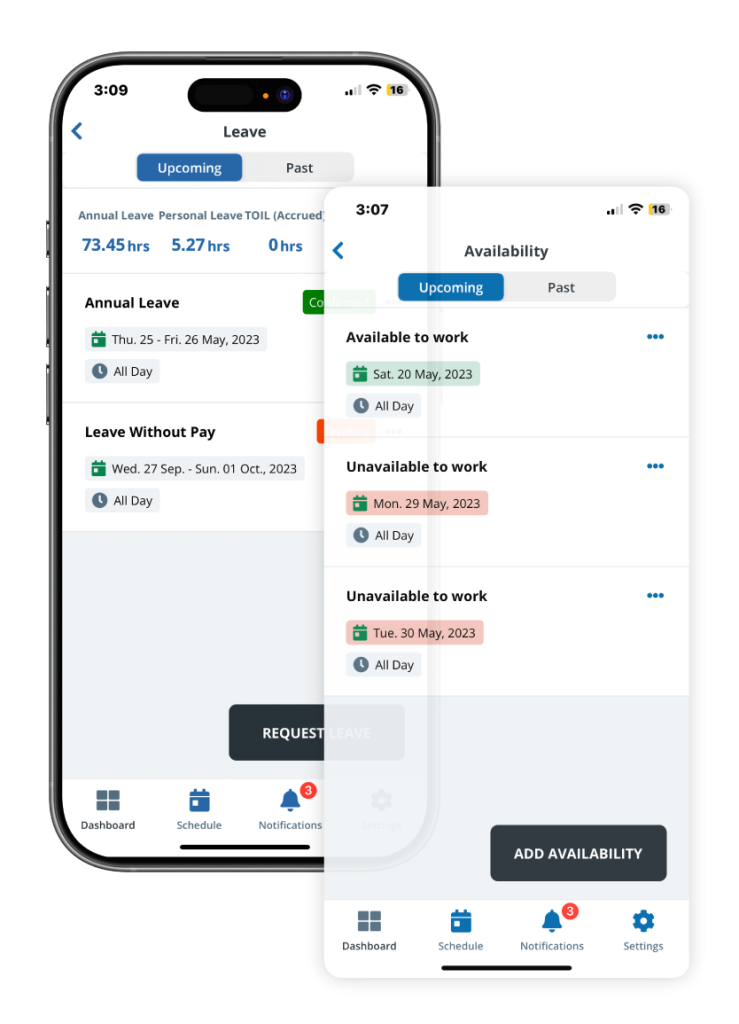
Empower your employees to take control of their work time with the nimbus app. The intuitive self-service platform puts scheduling control directly into their hands. Employees can easily input their work availability, request leave, swap shifts with qualified colleagues, and get real-time updates – all from their mobile device.


What can the nimbus Mobile App help teams do?
Understand the nimbus mobile app’s capabilities and how this can support different operational processes.
App Capability | Examples | Used For |
|---|---|---|
Availability management | Employees set working availability | Better scheduling inputs and coverage planning |
Scheduling distribution and changes | Schedules and shift information sent to devices, shift swaps | Faster distribution of roster changes |
Time capture | Capture clock on and off, unscheduled attendances and activities | Accurate worked time capture |
Timesheet workflow | Approve timesheets | Prepare timesheets for payroll export |
Leave self-service | Request time off, view leave balances | Faster leave handling and visibility |
Exception requests | Go-home early requests, opt to work overtime | Quicker operational response, correct transaction outcomes |
Communication | Push notifications | Timely updates and reduced missed messages |
FAQs
What is a workforce management mobile app?
A workforce management mobile app helps employees and managers access work information, manage schedules, record attendances, and action changes from their mobile device.
What can staff do in the nimbus workforce app?
The nimbus mobile app allows employees to:
- Input availability for shifts
- Submit leave requests
- View leave balances
- Request shift swaps
- Fill vacant shifts
- Receive updates
How does the app help with scheduling?
The app streamlines scheduling by enabling employees to set their availability and apply for leave, ensuring that shifts meet requirements and demand.
From there, the app identifies available employees with the right skills for each shift. Once updated, managers can notify employees directly via the app.
Why choose nimbus for your workforce management app?
The nimbus employee mobile app simplifies day-to-day scheduling, shift & leave management, and time capture tasks. By providing your team with access to critical workforce information at any time, from anywhere, you can ensure skilled, available staff are scheduled, time capture is secure, and employee engagement happens in real time.